
Locked Snapchat Account: Emergency Guide and Recovery
Initial Diagnosis: Identifying the Exact Nature of the Snapchat Lock
When facing sudden inaccessibility to a profile on social media platforms, and particularly within Snapchat's mobile ecosystem, the first analytical step is to precisely determine whether it is an automated temporary lock, a permanent ban for flagrant violation of terms of service, or a malicious compromise orchestrated by a third party. Snapchat's security infrastructure deploys strict behavioral moderation algorithms and anomaly detection to counter automation, soliciting, the use of unauthorized third-party scripts, and massive credential-stuffing attacks against user databases.
This article will also interest you: Recover a Permanently Deleted Instagram Account: The Complete Guide (2027)
Common Connection Errors and System Error Codes
Error codes displayed on the mobile interface during authentication attempts provide an immediate and technical diagnosis. The critical error code SS06 typically indicates that the account has been temporarily locked due to detected usage of unauthorized third-party applications, modified clients (such as Snapchat++, Phantom, or any altered APK connecting to proprietary APIs), or the automated mass sending of messages. The error support_locked means that the defense system has flagged abnormal suspicious activity: connection from a blacklisted IP address, a radical and sudden change in geolocation, or repeated brute-force attempts against the master password.
Thorough Verification of Email and Phone Number Integrity
If a malicious actor has successfully taken over your profile, one of their initial technical actions is to modify the associated recovery contact details, namely the contact email address and mobile validation phone number. Open the Snapchat application, access the main login screen, and enter your nominal username. If the password has been altered by the intruder, immediately click on the Forgot your password? link. The system will offer password reset via SMS or email. If these contact data have been modified by the attacker, standard authentication fails. In this specific case, utilizing specialized local decryption tools such as Pass Decoder becomes essential to analyze caches, persistent session tokens, and local device databases to regain access to credentials or reconstruct connection history.
Official Unlocking Protocol and Profile Reactivation
If your account has been temporarily suspended or locked for security reasons related to interaction with unauthorized third-party apps, an explicit unlocking procedure exists via Snapchat's official web support portal, bypassing the strict limitations of the mobile app.
Methodical Use of the Web Unlocking Portal
Navigate from a secure browser to the official Snapchat unlock page, accessible at the URL accounts.snapchat.com/accounts/unlock. Log in meticulously using your standard credentials (username and master password). If the profile lock is not classified as permanent by the servers, a distinct yellow button labeled Unlock will clearly appear at the bottom of the graphical interface. Click this button, carefully solve the required security captcha to prove you are a human operator, and wait strictly for a minimum period of 24 to 48 hours before attempting a new login from the official mobile application.
Expert Tip: Do not attempt any mobile app reconnections during the 24 hours following the web unlock. The mobile app issues background refresh requests that risk resetting server security counters and extending your account lock duration.
Contacting Technical Support for Persistent Blocks
If the web portal returns a message indicating your account is permanently locked, or if the automated process yields no positive result, you must submit a detailed technical request to support via the help center's official contact form. Select the specific option I think my account was hacked. Provide the old associated phone number, the initial email address, and the precise metadata and details of the last legitimate activity recorded on your profile to irrefutably certify your identity to human moderation teams.
PASS DECODER: Snapchat Account Recovery Solution
Certified under ISO 9001:2015 and ISO/IEC 27001:2022 standards, PASS DECODER implements specialized AI routines to analyze Snapchat session tokens. It decrypts and displays account credentials from a username with total confidentiality and zero unexpected logouts.
Official website access: https://www.passwordrevelator.net/en/passdecoder
Advanced Management of Backup Codes and Two-Factor Authentication (2FA)
Implementing Login Verification represents the most robust technical barrier against unauthorized takeovers, but it demands rigorous management of cryptographic keys and backup codes to prevent permanent self-locking.
Enabling and Configuring TOTP Authentication App Verification
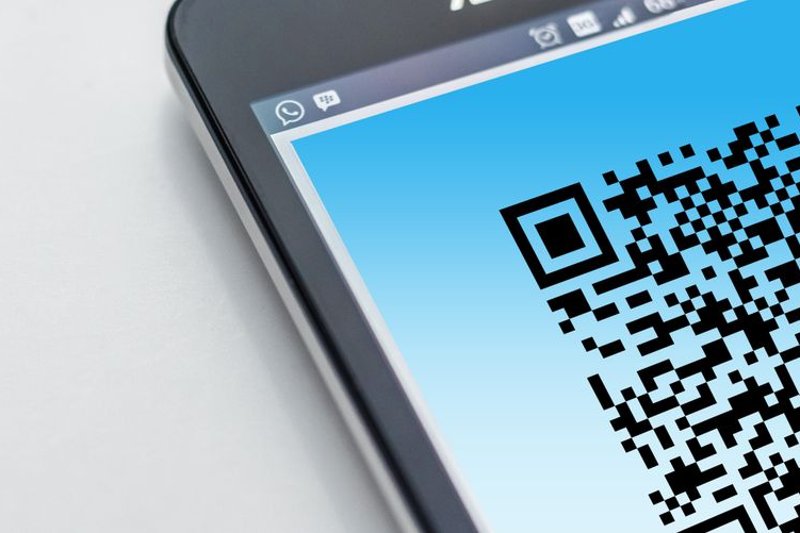
To strengthen your profile security beyond simple SMS verification (vulnerable to SIM swapping attacks), prioritize using a third-party TOTP (Time-based One-Time Password) compatible authenticator app such as Google Authenticator, Aegis, or Bitwarden. Access Snapchat Settings, tap Two-Factor Authentication, then select Authenticator App. Follow instructions to scan the generated QR code with your authenticator app and securely save the provided textual secret key.
Generation and Secure Storage of Backup Codes
During initial setup of two-factor authentication, Snapchat generates a series of unique backup codes. These alphanumeric codes allow authentication in case of loss, theft, or malfunction of your primary smartphone. It is imperative to note them on an offline physical medium (paper kept in a safe) or encrypt them in a trusted password manager. If these codes are lost and your authenticator app fails, account recovery will require a complex and lengthy support procedure.
| Authentication Method | Security Level | Compromise Risk | Technical Recommendation |
|---|---|---|---|
| Simple Password | Low | High (Brute force, Phishing) | Strictly avoid |
| SMS (Basic 2FA) | Medium | Medium (SIM swapping, Interception) | Acceptable by default |
| TOTP App (2FA) | High | Low (Physical device theft required) | Highly recommended |
| FIDO2 Security Key / Passkey | Maximum | Very low (Phishing resistant) | Ideal for administrators |
Prevention Strategy and Third-Party Access Cleanup
Once account access is restored, it is imperative to clean up the technical environment to eliminate any software persistence left by a hacker or unsecured application.
Revoking Suspicious Third-Party App Connections
Numerous third-party applications request access permissions to your Snapchat profile to share content or analyze statistics. Go to application Settings, look for the Connected Apps or Permissions section, and thoroughly review all listed third-party services. Immediately revoke access to any application you do not recognize or whose utility has expired. This action instantly severs OAuth API tokens that a hacker could have retained to maintain unauthorized access to your messaging and memories.
Renewing Credentials and Securing the Host Device
Immediately modify your primary password by opting for a complex cryptographic string of at least 16 characters, combining uppercase, lowercase, numbers, and symbols. Concurrently verify that your smartphone operating system is up to date and run a full antivirus scan to rule out keyloggers or spywares that could capture newly entered credentials.
Related video:
Technical Frequently Asked Questions (FAQ)
How to recover a Snapchat account whose email address was changed by a hacker?
If the hacker changed the email address, modification notifications are generally sent to the original email address. Click the security link present in this official email to cancel the change. If the email was deleted, you must contact Snapchat technical support by providing your old contact details, exact username, and proof of identity to force manual reset.
What to do if the SMS verification code never appears on my phone?
Failure to receive SMS can stem from network issues, carrier blocking, or saturation of Snapchat SMS gateways. Verify that your SIM card has not been deactivated (potential indicator of number theft or SIM swapping). Wait at least 60 minutes before attempting a new request, or opt to send a validation code via email if this alternative option remained configured on your profile.
My account received a permanent ban (permanent suspension error): can it be recovered?
When an account receives a permanent ban, Snapchat servers irreversibly delete or disable access after a data retention period. Technical support generally refuses to lift these bans if terms of service were demonstrably violated (use of modified third-party software, distribution of illicit content). No technical manipulation or bypass tool can reactivate a profile permanently purged by administrators.
How do I know if my Snapchat credentials are part of a public data leak?
You can check credential integrity by cross-referencing your email address with recognized breach databases such as Have I Been Pwned. If your email and associated password were compromised during an external leak on another platform, immediately change credentials across all accounts, ensuring you never reuse the same password combination across services.
Key Takeaways: Snapchat Security Checklist
- Immediate Diagnosis: Identify error codes (SS06 or support_locked) to adapt the unlocking procedure.
- Official Web Portal: Use the Snapchat unlock website and wait 24 hours without logging into the mobile app.
- Two-Factor Authentication: Enable a TOTP app (Google Authenticator or Aegis) rather than SMS, which is more vulnerable.
- Backup Codes: Store backup codes offline in a secure location or password manager.
- App Cleanup: Revoke access for all connected third-party applications in profile settings.