
How to change your Yahoo password?
Your Yahoo password is the key to unlock all the online services offered by Yahoo, including your mailbox.
Have you lost your password? Do you suspect someone of logging into your account? Do you want to secure your email by changing your password? Follow these few steps and change your Yahoo password easily and quickly.
Reset your Yahoo password after forgetting
It happens that by using different passwords for your accounts, a memory lapse occurs. Luckily, Yahoo offers to reset your password directly from your email access.
You may also like: How to change your GMail password?
After entering your email address in the dedicated box, press the button I cannot access my account. Then select the password problem option, click Next and enter your username. Several options are then available to you to change your Yahoo password. It is up to you to choose the method that suits you:
– Sending an SMS to your mobile phone
– Answering two secret questions
– Sending an email to your emergency email
When you receive the Yahoo message, click on the Change my Yahoo password link and follow the instructions. If you opt for the secret question, know that you will have to answer correctly two questions selected by you when creating your account. After the right answers, the reset will be done directly online.
Change your Yahoo password for more security
You know your password but you want to change it for security reasons? Changing the Yahoo password is as fast as it is easy. All you need to do is follow these six steps:
1: Log in to your Yahoo account with your usual username and password.
2: Click on the small gear at the top right of the page and select the Account settings option.
3: Enter your Yahoo password in the dedicated box.
4: Press the Change your Yahoo password button.
5: On the new page that appears, type your current password, and fill the new password in the two following boxes.
6: Click on the Save button. Your password is now changed!
All you have to do is memorize your new Yahoo password and use it for your next logins. Be careful not to reveal it to anyone and not to use it for other accounts and online services.
Hack a Yahoo password:
PASS ACCESS is the software made by hackers to decrypt the Yahoo password. Today, password are not secure and easy to hack. PASS ACCESS help the user to hack Yahoo passwords and to get back to the account.
Here is an example of PASS ACCESS:
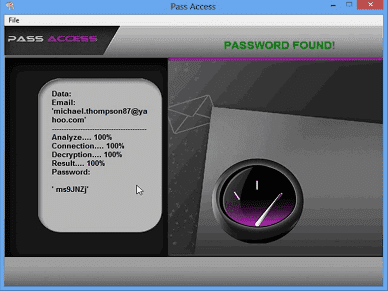
With a simple email address, PASS ACCESS decrypt the Yahoo password and show it on the screen of the device.
You can get instant access right now by downloading the application here:
Accessing someone else’s account without authorization is illegal. This content is educational and meant to help you recover your own account or that of a loved one.