Hack a TikTok Password
Effective methods that work
How to hack a TikTok password?
Discover the solutions to hack TikTok
TikTok is the most used social network in the world among young people. It accumulates billions of users every month and stands out with Facebook as one of the most used digital platforms in the world.
The main functionality of TikTok is to share short videos covering different subject areas. These can be fun, educational, political or informational videos. The popularity of the platform does not only attract simple users who want to have fun, there are also people with bad intentions who are getting closer and closer to this platform with the aim of causing harm. Just like online access platforms, the social network requires the use of login credentials.
In this article, we will discuss the concept of hacking TikTok account passwords. First of all, we want to mention that the objective of this article is not to encourage you to hack. We want to teach you the different dangers to which each user, if you are one of them, is exposed. Knowing these dangers will obviously allow you to know how to protect yourself and ensure the confidentiality of your personal data.
What techniques do hackers use to hack TikTok passwords?
There is an anthology of techniques that should not be overlooked and we have gathered for you the most effective techniques that can hack TikTok accounts. We will proceed methodically starting from the most popular to the least popular. Please note that we will give you appropriate advice to better protect yourself.
PASS UNLOCKER
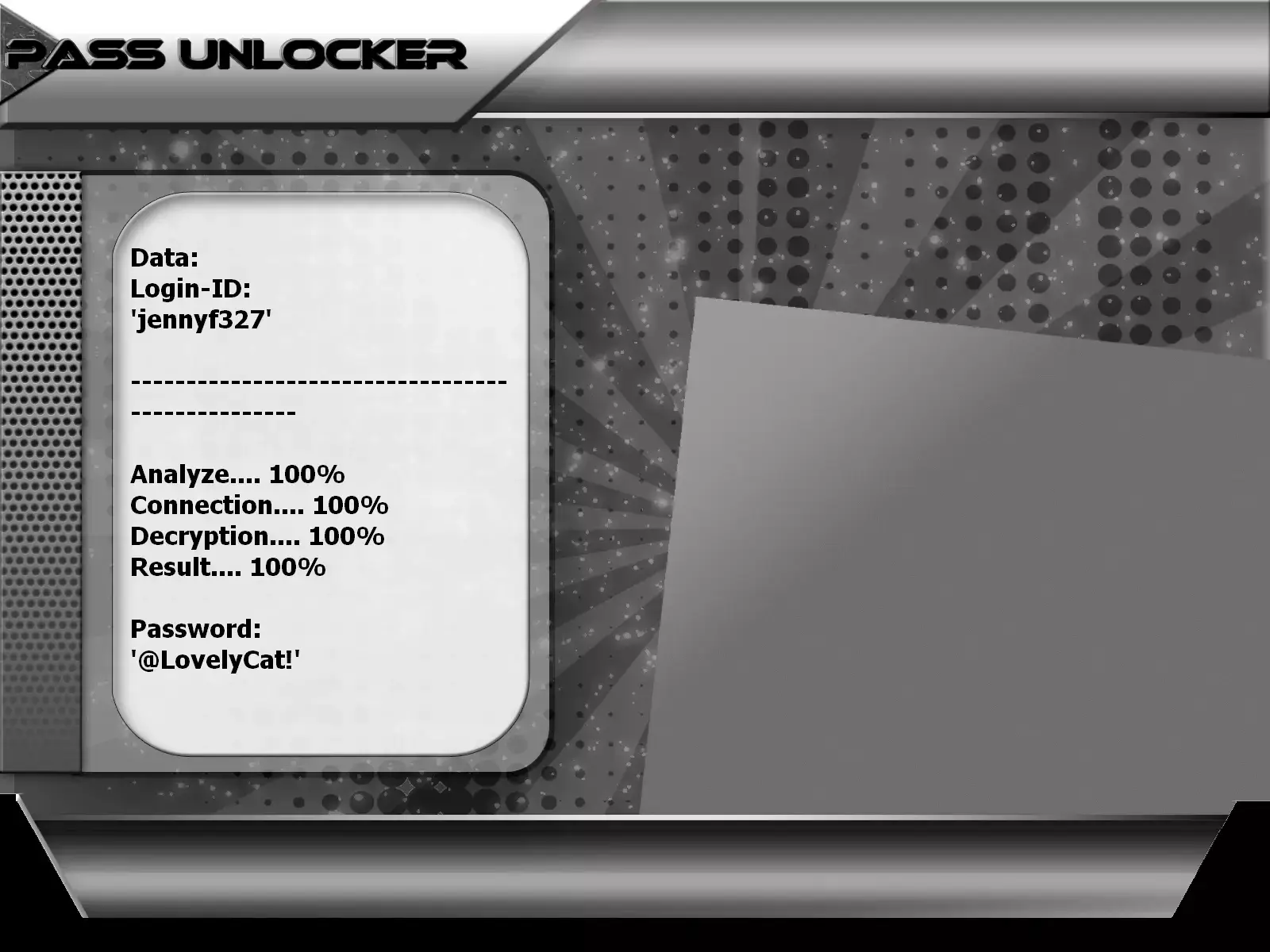
passwords using PASS UNLOCKER
This application allows you to hack a TikTok password using a @username, phone number, or email address. From any one of these three pieces of information, PASS UNLOCKER uses an advanced algorithm to decrypt and then display your account password directly on your screen. You can then log in without difficulty.
You can download PASS UNLOCKER from its official website: https://www.passwordrevelator.net/en/passunlocker
Technique 1: Phishing

When we talk about computer hacking, specifically password theft, the first technique that comes to mind is necessarily phishing. This is a fairly basic and popular technique in the field of cybercrime. Almost the majority of computer attacks have used this method.
How is phishing done?
At first glance, this method requires having a certain contact with the target because it simply consists of pushing the latter to commit the mistake which will allow him to expose his password. In general, hackers will send messages to their target (people or companies). They will encourage the user to click on a link in order to register on a website. Unsuspectingly, when he performs this action, he quickly falls into the trap, because the link redirects him to a fictitious digital platform. This platform is manipulated directly by hackers. By providing the requested information in the fields, the inattentive user provides direct access to their password. In summary, here is what phishing involves.
Technique 2: Social engineering

Social engineering is a method which consists of exploiting relationships with your target in order to extort as much personal information as possible. You can be friends on social media or even in real life. In this method, the hacker will simply try to collect as much information about you as possible. As they know that users use a lot of passwords that are based on personal data such as dates of birth or the names of relatives, the hacker collects information of this type. When he has his information, he will then try to guess the password by making random combinations.
There is also the technique of pretending to be a friend of your target. The hacker initiates a password reset process. He then asks his target to send him a code that he received by message, making him believe that he entered the wrong number. The code is the two-factor authentication security message. By sending this code, the victim user gives this hacker the opportunity to change the password and deprive him of access to his TikTok account. A fairly simple method but which has already proven its effectiveness and which it continues to prove.
Technique 3: Password cracking

The technique of cracking a TikTok password is part of several methods that we can describe. As the name suggests, the goal is to force access and find the password whatever it takes.
How the hacker will do this:
- It is also one of the classics in the field of cybercrime. A brute force attack consists of using automated software or any script to randomly generate thousands of combinations of numbers, symbols or letters that can constitute a password. The script will then try these randomly generated combinations one by one until the correct password is found.
- The objective remains unchanged: obtain the password at all costs. However, the dictionary attack is distinguished by its method of gathering all the previously constituted combinations available on the web, often from databases that have been compromised. Once this information is collected, the hacker attempts to find the correct password within this vast collection. To do this, it may use specialized software or an automated script. This approach is gaining popularity with the proliferation of data leaks which are becoming more and more frequent.
Technique 4: Keylogger

Still in the classics of cybercrime, we have pirate software called the keylogger. Its particularity consists of decrypting all the information that a person enters on the keyboard of their computer terminal. Whether it is a smartphone, a computer or even a tablet, when the computer program is already installed on it, the operator in charge of this malware can simply retrieve any information that will be useful to him. And among the lot, there is of course your password.
Obviously, this technique is not perfect because it mainly works on computing devices that operate using physical keyboards. Since the device uses a numeric keypad, the software becomes unusable. To counter this weakness, the screen recorder was then invented. The screen result is not necessarily pirate software since it is already pre-installed in the majority of smartphones, computers or tablets in circulation. The problem is that hackers can use this feature to steal your data. Among the information, everything you do on your screen will be copied and sent to your hacker.
Which means that when you use your smartphone to log into TikTok by typing the code on the screen, you will then be exposed.
Technique 5: SIM Swap

A technique that is somewhat unknown to the general public, SIM Swap appears to be something very delicate. This is not hacking in the true sense of the word. It is a practice which consists of hijacking the telephone number of a third party by using certain vulnerabilities in the system.
As you know, mobile operators nowadays offer online services. These online services give customers the opportunity to resolve certain problems online. For example, recovering your telephone number following the disappearance of your phone without even leaving your home.
This is how the hacker will proceed to steal your phone number. First, it will call your telephone company. He impersonated you by providing certain personal data about you. Obviously, data that he took care to collect on the Internet or even from you directly. Once the telephone operator is fooled by this identity theft, the criminal then asks to recover his telephone number on a new SIM card. It goes without saying that the phone number is yours, but it will be sent to the hacker from now on. You then lose access to your telephone number. As if that wasn't enough, the hacker who has your number can then proceed to change your password on your online accounts. This is exactly why this method, which nevertheless seems very simple, is dangerous.
Technique 6: Simjacking

Like the previous method which is SIM Swap, Simjacking also exploits certain security vulnerabilities relating to SIM cards. SIM cards are not just small chips, they are also a concentrate of technology with their own operating system. Who says operating system necessarily says vulnerability! The problem is that there are many SIM cards produced for a very long time that have not been updated and hackers know this.
What do they do with these cards?
Using scripts specialized in exploiting this type of vulnerability, they will simply try to corrupt the SIM card in order to extract any type of information that seems necessary to them and this technique works perfectly.
Technique 7: Session hijacking
Session hijacking is a method reserved for specialists. In this technique, hackers use sneaky methods to hijack your connection. For example, if you go to Google or you have access to your phone, your goal is to, for example, go to TikTok. Through strategic manipulations, they automatically take you to another platform. Although the process has similarities to social engineering, hackers are not forced to explicitly trick you into clicking a link. They have a variety of methods, including:
- The fake app
- It is possible to trick you into downloading the wrong app. An app that looks exactly like the one you are looking for, but in real life is a fake app and when you use the app, your data is stolen without your knowledge.
- DNS poisoning
- Reserved for insiders, DNS poisoning truly represents a high-level aspect of computer hacking. DNS, as the central pillar of computer communications, oversees the routing of all data flows from point A to point B. When a DNS network is compromised, no protection is guaranteed, exposing thus the user has free will from hackers. These gain the ability to redirect users to destinations of their choice, leaving vulnerable data at their mercy. It is this complexity that makes this technique difficult to master, often reserved for elite IT experts.
Technique 8: WiFi network corruption

WiFi is omnipresent these days, contributing to the democratization of Internet access. Although it makes connection easier and cheaper to use, it also represents a breeding ground for hackers seeking to trap users. Indeed, the appeal of WiFi networks offering free Internet access is universal. However, not all open WiFi networks are secure. Hackers can deploy fake WiFi networks or tamper with existing networks, exploiting vulnerabilities in your connection. When you use these networks to access your online accounts, your data may be discreetly collected without your knowledge.
Technique 9: Hacking by QR codes
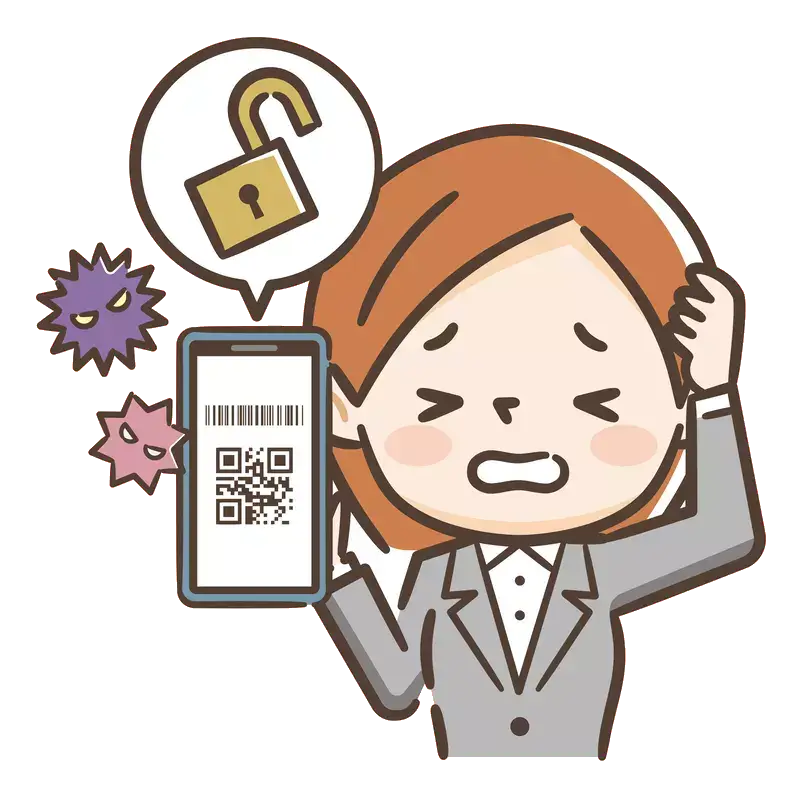
This is a somewhat recent technique which is a twisted form of phishing. Unlike the first method that we mentioned above, which consists of tricking the user by sending them a link, quishing is a technique that pushes the user to go to fake platforms after scanning QR codes. As we know, the use of QR codes has become very popular in recent years, particularly since the coronavirus pandemic. Today, we scan QR codes for almost everything. So, hackers had the brilliant idea of often modifying QR codes with fake ones. So, the average user goes to a space to carry out a transaction. By wanting to scan the QR code indicated, he can make a mistake and be fooled by the hackers' fake QR code. Which will obviously lead him to a fake platform where his information will be requested. Obviously, the moment he grabs them, hackers will simply collect them and use them. A method which unfortunately claims more and more victims because of our habits with QR codes.
Conclusion:
In view of the above, we can mention that simply using TikTok exposes you to hacking. There are many hacking techniques and at any time, the cybercriminal knows how to take advantage of the site's flaws. So, you also need to protect yourself.
How to protect yourself from your TikTok password being hacked?
Protecting your TikTok profile from unauthorized access requires consistent discipline, proactive measures, and a comprehensive security strategy. In an increasingly digital world where cyber threats continue to evolve, safeguarding your social media accounts has become more critical than ever. Hackers employ sophisticated techniques ranging from phishing attacks and malware distribution to credential stuffing and social engineering tactics. Your TikTok account contains valuable personal information, creative content, follower connections, and potentially sensitive private messages that must be protected.
The consequences of a compromised TikTok account can be severe, including identity theft, unauthorized content posting that damages your reputation, loss of followers and engagement, financial fraud if payment information is linked, and emotional distress from privacy violations. By implementing the security practices outlined below, you can significantly reduce your vulnerability to these threats and maintain control over your digital presence.
Here are comprehensive security measures you can implement immediately to protect your TikTok account from hackers and unauthorized access:
- Secure your device with comprehensive protection
- Use a VPN network for encrypted connections
- Do not use any Internet network without verification
- Do not connect with public devices
- Use a strong password with complexity
- Do not repeat passwords across platforms
- Use two-factor authentication for enhanced security
Secure your device with comprehensive protection

If you use a smartphone or tablet to access TikTok, securing your device is the foundational layer of your overall security strategy. Your device serves as the gateway to all your online accounts, making it the primary target for cybercriminals. A compromised device can expose not just your TikTok account, but all your digital activities, personal files, banking information, and private communications.
The first critical step is installing reputable antivirus and anti-malware protection software. Malware represents one of the most significant threats to mobile security, with keyloggers capable of recording your passwords, spyware monitoring your activities, and trojans providing backdoor access to hackers. Premium security solutions from established providers like Norton, McAfee, Kaspersky, or Bitdefender offer real-time scanning, automatic updates, and protection against emerging threats. Many quality antivirus solutions are available at various price points, including free versions with basic protection, making device security accessible regardless of budget.
Beyond antivirus software, comprehensive device security requires multiple layers of protection. Enable automatic security updates for your operating system to ensure you receive critical patches that fix vulnerabilities hackers exploit. Configure your device to install app updates automatically, as developers regularly release security improvements. Consider using Malwarebytes alongside your primary antivirus for additional malware scanning capabilities.
Physical device security is equally important as software protection. Implement robust device locking mechanisms using biometric authentication methods such as fingerprint scanning or facial recognition technology. These methods provide significantly stronger security than traditional PIN codes or pattern locks, which can be observed or guessed. Modern smartphones offer advanced biometric options like Apple's Face ID or Samsung's ultrasonic fingerprint sensors that are extremely difficult to bypass.
Set your device to lock automatically after brief periods of inactivity, ideally 30 seconds to one minute. This prevents unauthorized access if you momentarily leave your device unattended. Never leave your device in public spaces, vehicles, or shared environments, even briefly. Develop the habit of keeping your device on your person or securely stored at all times. If you must leave your device temporarily, ensure it is locked and preferably in a secure location.
Additional device security measures include disabling unnecessary permissions for apps, regularly reviewing which applications have access to sensitive features like your camera, microphone, location, and contacts. Remove unused applications that could contain security vulnerabilities. Enable "Find My Device" features (Find My iPhone or Find My Device for Android) to locate, lock, or remotely wipe your device if lost or stolen.
Use a VPN network for encrypted connections

A Virtual Private Network (VPN) creates an encrypted tunnel between your device and the internet, providing essential protection against various cyber threats that target your online activities. When you connect through a VPN, your internet traffic is routed through secure servers, masking your real IP address and encrypting all data transmitted between your device and websites or applications like TikTok. This encryption prevents hackers, internet service providers, and malicious actors from intercepting your credentials, monitoring your browsing habits, or hijacking your sessions.
VPN technology has become increasingly accessible and affordable, with numerous providers offering comprehensive protection at competitive prices. Reputable VPN services like ExpressVPN, NordVPN, Surfshark, and CyberGhost provide military-grade encryption, no-logs policies ensuring your activities remain private, and servers in multiple countries for optimal performance and accessibility.
The security benefits of VPN usage extend beyond simple encryption. VPNs protect against man-in-the-middle attacks where hackers intercept communications between your device and TikTok's servers. They prevent session hijacking, where attackers steal your active login session to gain unauthorized access without needing your password. VPNs also shield you from DNS spoofing attacks that redirect you to fake websites designed to steal your credentials.
When selecting a VPN provider, prioritize services with strong reputations for security and privacy. Look for providers offering AES-256 encryption, the same standard used by governments and militaries worldwide. Ensure the VPN has a strict no-logs policy, meaning they don't record your online activities, and verify this policy through independent audits. Choose VPNs with kill switch functionality that automatically disconnects your internet if the VPN connection drops, preventing accidental exposure of your unprotected traffic.
Free VPN services exist but often come with significant limitations and potential risks. Many free VPNs log and sell user data, inject advertisements, offer limited bandwidth, or provide inadequate security. If budget is a concern, consider reputable providers offering free tiers with reasonable limitations, such as ProtonVPN or Windscribe, which maintain strong privacy standards even for free users.
For maximum protection when accessing TikTok, enable your VPN before connecting to the internet, especially when using public or untrusted networks. Configure your VPN to connect automatically when your device starts or when joining new networks. This ensures you never accidentally access TikTok or other sensitive services without protection.
Do not use any Internet network without verification

Public WiFi networks represent one of the most significant security vulnerabilities for mobile device users. While the convenience and cost savings of free WiFi in coffee shops, airports, hotels, restaurants, shopping centers, and public spaces are tempting, these networks are frequently hunting grounds for cybercriminals who exploit their inherent security weaknesses to steal personal information, login credentials, and sensitive data.
The dangers of public WiFi are numerous and sophisticated. Hackers create fake WiFi hotspots with legitimate-sounding names like "Free Airport WiFi" or "Starbucks Guest" that appear genuine but are actually traps designed to intercept all data transmitted by connected devices. This technique, called an "evil twin" attack, allows criminals to monitor every website you visit, capture passwords you enter, and even inject malware onto your device. Other attackers position themselves between your device and legitimate WiFi routers, intercepting and potentially modifying all communications in what's known as a man-in-the-middle attack.
Even legitimate public WiFi networks often lack proper security configurations, using no encryption or outdated security protocols that are easily compromised. Network administrators may not regularly update router firmware, leaving known vulnerabilities open for exploitation. Other users on the same network could be running malicious software that scans for vulnerable devices to attack.
If you must access TikTok or any account requiring authentication while away from your secure home or office network, use your cellular data connection instead of public WiFi. Modern smartphone data plans typically include sufficient data allowances for social media usage, and cellular networks employ stronger security measures than most public WiFi. The 4G and 5G networks used by mobile carriers incorporate encryption and authentication protocols that make interception significantly more difficult.
When cellular data is unavailable and you must use public WiFi, absolutely ensure your VPN is active before connecting. The VPN's encryption will protect your data even if the WiFi network is compromised. Verify you're connecting to the official network by confirming the exact network name with staff rather than assuming any similarly named network is legitimate. Avoid accessing sensitive accounts or conducting financial transactions on public networks whenever possible.
Additional precautions for public network usage include disabling automatic WiFi connection on your device, which prevents connecting to networks without your explicit approval. Turn off file sharing and AirDrop features that could allow other network users to access your device. Ensure the "Always Use HTTPS" or similar security setting is enabled in your browser to force encrypted connections to websites. After using public WiFi, consider changing your passwords for any accounts accessed, especially if you weren't using a VPN.
For frequent travelers or remote workers who regularly need secure internet access, consider investing in a personal mobile hotspot device or using your smartphone's tethering feature to create a private WiFi network using your cellular data. This provides the convenience of WiFi with the security of cellular networks.
Do not connect with public devices

Public and shared computers pose extraordinary security risks that many users underestimate. These devices, found in internet cafes, libraries, hotels, airports, coworking spaces, and even workplace common areas, are frequently compromised with keylogging software, malware, or monitoring tools that capture every keystroke, website visited, and credential entered. The convenience of accessing your TikTok account when your personal device is unavailable is vastly outweighed by the security vulnerabilities these shared computers present.
Keyloggers are particularly insidious threats on public computers. These programs run invisibly in the background, recording every key pressed on the keyboard, including usernames, passwords, credit card numbers, and private messages. Once installed, keyloggers transmit this captured information to attackers who can then access all accounts you logged into from that compromised device. Even sophisticated security measures like strong passwords offer no protection against keyloggers since they capture the actual keystrokes as you type them.
Beyond keyloggers, public computers may harbor various forms of malware including screen capture tools that periodically photograph everything displayed on the monitor, browser extensions that steal form data and passwords, network sniffers monitoring internet traffic, and remote access trojans allowing hackers to control the computer and access any accounts left logged in. Many public computers lack proper security software, receive infrequent updates, and are used by numerous individuals daily, each potentially introducing new security threats.
The security risks extend beyond deliberate malware installation. Public computers often have browsers configured to save passwords, store form data, and remember login sessions. Even if you log out, traces of your session may remain in browser history, cached files, or cookies that subsequent users or attackers could exploit. Automatic login features might keep your session active, allowing the next user to access your account without credentials.
Workplace computers, even those you use regularly, should be treated as shared devices for personal account access. Company IT departments often monitor employee computer usage, potentially viewing your personal account activities. Corporate networks may have security policies that conflict with personal account security. Using work computers for personal social media can violate company policies and create professional complications. Additionally, other employees might have physical or remote access to your work computer when you're away.
Even computers belonging to friends or family members carry risks. Well-meaning relatives may have inadequate security practices, outdated antivirus software, or compromised systems without their knowledge. Their computers might be infected with malware that spreads to accounts accessed from those devices. Additionally, browser autofill and password saving features could inadvertently store your credentials on their device, potentially accessible to anyone using that computer.
If you absolutely must access your TikTok account from a device you don't control, take extreme precautions. Use private or incognito browsing mode to prevent saving browsing history, cookies, and form data. Manually type your credentials rather than using any saved password features. Immediately log out when finished and close all browser windows completely. Change your password from your personal secure device as soon as possible after accessing from the public computer. Enable two-factor authentication so even if credentials are compromised, attackers cannot access your account without the second factor.
Better alternatives include using your smartphone's cellular data to access TikTok rather than using a public computer, even if your battery is low. Many public spaces offer charging stations where you can charge your device. If you need a larger screen or keyboard, consider using a portable device like a tablet with a Bluetooth keyboard rather than relying on shared computers. For travelers, internet-enabled devices like smartphones provide all necessary access to social media without public computer risks.
Use a strong password with complexity

Your password serves as the primary defense protecting your TikTok account from unauthorized access. Despite being the most fundamental security measure, passwords remain the most commonly exploited vulnerability because many users create weak, predictable passwords that hackers can easily crack using automated tools and common attack strategies. Understanding password security principles and implementing strong password practices is absolutely essential for protecting your account.
A strong password must possess several critical characteristics to effectively resist hacking attempts. Length is the most important factor in password strength. Your TikTok password should contain a minimum of 12 characters, though 16 or more characters provide significantly better security. Longer passwords exponentially increase the time and computational resources required for brute force attacks where hackers systematically try every possible character combination. A 12-character password with proper complexity would take centuries to crack using current technology, while an 8-character password might be cracked in hours or days.
Character diversity dramatically enhances password strength. Your password should incorporate a combination of uppercase letters (A-Z), lowercase letters (a-z), numbers (0-9), and special symbols (!@#$%^&*). This character variety creates an enormous number of possible combinations that attackers must attempt when trying to crack your password. For example, the password "TikT0k$ecur1ty!2024" combines multiple character types, making it exponentially more difficult to crack than "tiktoksecurity".
Creating truly random or unpredictable passwords provides the strongest security. Avoid using any personal information that could be associated with you, including your name, family members' names, pet names, birthdates, anniversary dates, phone numbers, addresses, favorite sports teams, or hobbies. Hackers frequently compile dossiers of personal information from social media profiles, public records, and data breaches, then use this information to generate targeted password guesses in attacks called "social engineering." Information you share publicly on TikTok itself, like your username, display name, or details mentioned in videos, should never appear in your password.
Common words, phrases, and patterns must be avoided. Hackers use dictionary attacks that systematically try every word in multiple languages, common phrases, song lyrics, movie quotes, and popular culture references. Simple patterns like "123456," "password," "qwerty," or "abc123" are among the first combinations attackers try. Even substituting numbers for letters in common words (like "P@ssw0rd") provides minimal protection since these substitution patterns are well-known to hackers and programmed into their cracking tools.
Passphrases offer an excellent alternative to traditional passwords, combining length with memorability. A passphrase consists of multiple random words strung together, creating a long password that's easier to remember than random character strings. For example, "Correct-Horse-Battery-Staple-79!" creates a 34-character password that's both strong and memorable. Enhance passphrase security by adding numbers and symbols, using unexpected capitalization, and selecting truly random words rather than meaningful sentences.
Password generation tools and managers provide invaluable assistance in creating and storing strong, unique passwords. Services like 1Password, LastPass, Dashlane, and Bitwarden generate cryptographically random passwords with maximum complexity, securely store them with military-grade encryption, automatically fill passwords when logging into accounts, and synchronize passwords across your devices. Password managers eliminate the need to remember complex passwords while ensuring each account has a unique, strong password.
For those who prefer not to use password managers, consider using a personalized password creation system. Develop a formula that combines random elements with account-specific information in a way only you understand. For example, take the first and last letters of the service name, add a random phrase you've memorized, include numbers and symbols, and finish with the service name length. For TikTok: "Tk#Correct-Horse-Battery#6k" uses this formula to create a strong, unique password.
Testing your password strength helps verify its security. Several reputable websites offer password strength checkers, including Security.org's Password Strength Checker and How Secure Is My Password. These tools analyze character diversity, length, and patterns to estimate how long your password would take to crack. Never enter your actual current passwords into these tools; instead, test passwords with similar structure and complexity to evaluate your password creation strategy.
Regular password updates enhance security, though the optimal frequency is debated among security experts. Change your TikTok password immediately if you suspect any compromise, receive notification of suspicious login attempts, or learn of a data breach affecting services where you reused passwords. Otherwise, updating passwords every six to twelve months provides a reasonable balance between security and convenience, though some experts argue that infrequent changes to truly strong, unique passwords are preferable to frequent changes that lead users to create weaker passwords.
Do not repeat passwords across platforms

Password reuse represents one of the most dangerous yet common security mistakes that dramatically amplifies the impact of any single security breach. While using the same password across multiple accounts may seem convenient and easier to remember, this practice creates a catastrophic vulnerability where the compromise of one account instantly jeopardizes every other account sharing that password. The exponential growth in data breaches affecting major companies and online services makes password reuse an unacceptable risk that sophisticated attackers actively exploit.
The attack vector targeting password reuse is called "credential stuffing." When hackers breach a website or service and steal user credentials, they don't just use those credentials to access that specific platform. Instead, they systematically test the stolen username and password combinations against hundreds or thousands of other popular websites and services, including social media platforms like TikTok, banking sites, email services, shopping accounts, and more. Automated tools allow attackers to attempt logins at massive scale, testing millions of credential combinations across numerous platforms within hours.
The frequency and scale of data breaches make credential stuffing increasingly effective. Major breaches have exposed billions of user credentials over the years, including breaches at Yahoo, Facebook, LinkedIn, Adobe, Equifax, Marriott, and countless other services. Even if you haven't directly received notification of a breach, your credentials may be circulating in hacker databases if any service you've used was compromised. Websites like Have I Been Pwned allow you to check whether your email address or phone number appears in known data breaches, providing visibility into potential credential exposure.
The cascading consequences of password reuse can be devastating. Imagine your credentials are stolen from a small online store with weak security that you rarely use. If you've reused that password on TikTok, hackers can immediately access your TikTok account, potentially posting harmful content, messaging your followers with scams, stealing your creative videos, extracting personal information from private messages, or holding your account for ransom. If you've also used the same password for your email account, attackers gain access to a master key that allows them to reset passwords for virtually all your other online accounts, access sensitive correspondence, impersonate you, and cause widespread damage across your entire digital life.
Financial implications of password reuse add additional urgency to this security practice. If attackers access accounts linked to payment information, credit cards, or banking services, they can make unauthorized purchases, steal funds, or commit identity theft with severe financial and legal consequences. Even if direct financial theft doesn't occur, recovering from account compromises requires substantial time and effort, including changing passwords across all accounts, verifying and securing each service individually, monitoring for fraudulent activity, and potentially dealing with damage to your reputation or relationships.
Creating and remembering unique passwords for every account may seem overwhelming, especially considering the average person maintains accounts on dozens or even hundreds of websites and services. However, modern password management tools make this task manageable and secure. Password managers like 1Password, LastPass, Bitwarden, Dashlane, and Keeper solve the unique password challenge elegantly.
These password management solutions generate cryptographically random, highly complex passwords for each account, typically 20-30 characters with maximum character diversity. They store these passwords in an encrypted vault protected by a single master password, the only password you need to remember. When you visit a website or app, the password manager automatically fills in your credentials, eliminating the need to type or remember individual passwords. Most password managers offer browser extensions, mobile apps, and cross-device synchronization, ensuring access to your credentials wherever you need them.
The security of password managers is robust. They use military-grade encryption standards (typically AES-256) to protect your password vault. The encryption and decryption happen locally on your device, meaning even the password manager company cannot access your passwords. Many offer additional security features including two-factor authentication for accessing the password manager itself, security audits identifying weak or reused passwords, breach monitoring alerting you if your credentials appear in known data leaks, and secure password sharing for family or team accounts.
If you're hesitant to use a password manager, consider starting with browser-based password management built into modern browsers. Google Chrome, Mozilla Firefox, Apple Safari, and Microsoft Edge all include password generation and storage features synchronized across devices signed into the same account. While not as feature-rich as dedicated password managers, browser password tools provide a good starting point for eliminating password reuse and can be upgraded to a dedicated solution later.
For those who absolutely refuse to use password managers, develop a systematic approach to creating unique passwords while maintaining memorability. Use a base passphrase you can remember, then modify it uniquely for each service. For example, incorporate the service name, its first and last letters, or the number of letters in its name into your password formula. If your base phrase is "Correct&Horse&Battery," your TikTok password might be "Tk!Correct&Horse&Battery!6k" (using TikTok's first and last letters and character count), while Instagram would be "Im!Correct&Horse&Battery!9m." This system creates unique passwords while remaining memorable.
Transitioning from password reuse to unique passwords should be prioritized based on account importance. Start by creating unique passwords for your most critical accounts: email (often the master key to other accounts), banking and financial services, TikTok and other social media, work-related accounts, and accounts containing sensitive personal information. Gradually expand to less critical accounts over time. If you discover your credentials in a data breach through services like Have I Been Pwned, immediately change passwords for all accounts that shared those credentials.
Use two-factor authentication for enhanced security

Two-factor authentication (2FA), also called two-step verification or multi-factor authentication (MFA), represents the single most effective security enhancement you can implement to protect your TikTok account beyond password protection alone. Even with the strongest possible password and impeccable security practices, you remain vulnerable to sophisticated phishing attacks, keyloggers, data breaches, and social engineering tactics that could expose your credentials. Two-factor authentication provides an essential secondary security layer that prevents account access even when your password is compromised, dramatically reducing your risk of unauthorized account takeover.
Two-factor authentication works on the principle of requiring two different types of proof before granting account access. The first factor is something you know (your password), and the second factor is something you have (your phone, authentication app, or security key) or something you are (biometric data like fingerprints). Attackers who steal or guess your password still cannot access your account without also possessing the second factor, which is significantly more difficult to compromise simultaneously. This creates a robust defense against the vast majority of hacking attempts.
The protection afforded by two-factor authentication extends across various attack scenarios. Phishing attacks that trick you into entering your password on fake websites become ineffective because attackers cannot obtain the second authentication factor. Keyloggers and malware that capture your typed password provide attackers with incomplete credentials insufficient for login. Credential stuffing attacks using passwords from data breaches at other services fail without the second factor. Even if someone physically observes you typing your password, they cannot access your account without your phone or authentication device.
TikTok offers multiple two-factor authentication methods, each with different security levels and convenience tradeoffs. Understanding these options helps you select the authentication method that best balances security and usability for your needs.
SMS-based verification sends a one-time code via text message to your registered phone number each time you log in. While convenient and widely accessible, SMS authentication is considered the least secure option because text messages can be intercepted through SIM swapping attacks (where attackers convince your mobile carrier to transfer your number to their device), SS7 protocol vulnerabilities in cellular networks, or social engineering targeting mobile carrier customer service. Despite these vulnerabilities, SMS authentication provides substantially better protection than no two-factor authentication at all.
Email verification delivers one-time codes to your registered email address. This method's security depends heavily on your email account's security. If your email uses strong, unique passwords and its own two-factor authentication, email codes provide reasonable protection. However, if attackers compromise your email account, they can intercept verification codes, making email authentication only marginally better than SMS in many scenarios.
Authenticator apps represent the most secure and recommended two-factor authentication method for most users. These applications generate time-based one-time passwords (TOTP) that change every 30 seconds using cryptographic algorithms. Popular authenticator apps include Google Authenticator, Microsoft Authenticator, Authy, and 1Password (which integrates authentication with password management). Authenticator apps work offline, aren't vulnerable to interception like SMS, and provide strong protection against virtually all common attack vectors.
Hardware security keys provide the highest level of two-factor authentication security available. Physical devices like YubiKey or Google Titan must be physically inserted into your device or tapped via NFC to authorize login. While TikTok may not currently support hardware keys for all users, this technology offers unparalleled protection against phishing and remote attacks since attackers would need physical possession of your security key.
Setting up two-factor authentication on TikTok requires just a few minutes but provides lasting protection. Follow these comprehensive steps to enable and configure two-step verification for your TikTok account:
-
Sign in to your TikTok account
- Open the TikTok mobile app on your smartphone or tablet. Two-factor authentication setup is typically more straightforward through the mobile app than the web version.
- Ensure you're signed into the account you want to protect with two-factor authentication.
- Navigate to your profile by tapping the "Profile" icon in the bottom right corner of the screen.
- Access your settings by tapping the menu icon (three horizontal lines or three dots) located in the top right corner of your profile.
- Select Settings and Privacy from the menu options to open your account configuration panel.
- Look for and tap on the Security section, which contains all security-related settings including password management, login activity monitoring, and two-factor authentication options.
-
Enable Two-Step Verification
- Within the Security section, locate and tap on 2-step verification or Two-Factor Authentication (the exact wording may vary depending on your TikTok app version and region).
- TikTok will display information about two-step verification and its benefits. Review this information to understand how the feature protects your account.
- Choose your preferred verification method from the available options. TikTok typically offers multiple methods including:
- SMS verification: Receive one-time codes via text message to your registered phone number. This option requires maintaining access to your phone and cellular service.
- Email verification: Receive verification codes via email to your registered email address. Ensure your email account is secure and accessible.
- Authentication app: Use a third-party authenticator application to generate time-based codes. This is the most secure option and works without internet connectivity once configured.
- If selecting SMS verification, enter your phone number if not already registered. Ensure you enter the correct number with proper country code. Click the button to send a verification code.
- If choosing email verification, confirm your email address is correct and accessible. Request the verification code to be sent to your email.
- If using an authenticator app, you'll need to have the app installed on your device first. Download Google Authenticator, Authy, Microsoft Authenticator, or another compatible app before proceeding. TikTok will display a QR code on screen.
- Open your authenticator app and select the option to add a new account (usually a "+" or "Add" button). Use your phone's camera to scan the QR code displayed in TikTok. The authenticator app will immediately begin generating six-digit codes that refresh every 30 seconds.
- Enter the verification code you received (via SMS, email, or authenticator app) into TikTok to confirm the setup is working correctly. This verifies that you can successfully receive and enter authentication codes.
- TikTok may ask you to enter a second code to confirm the authentication method is functioning reliably. This double-verification ensures you won't be locked out of your account due to setup errors.
-
Set Up Recovery Options
- After enabling two-factor authentication, TikTok will guide you through setting up recovery methods. These are critical safeguards that allow you to regain account access if you lose your phone, change phone numbers, or cannot access your primary authentication method.
- Verify that your recovery phone number is current and accurate. This number should be different from your primary authentication phone number if possible, providing an alternative contact method.
- Confirm your recovery email address is correct, accessible, and secure. Choose an email account you regularly monitor and that has strong security protections of its own, including its own two-factor authentication.
- TikTok may provide backup codes or recovery codes during the two-factor authentication setup process. These are one-time use codes that can authenticate your login if you cannot access your regular authentication method. Backup codes are typically provided as a list of 8-10 alphanumeric codes.
- Save backup codes securely and treat them with the same importance as your password. Store them in multiple secure locations such as a password manager (like 1Password or Bitwarden), a physical note in a locked safe, or an encrypted digital file stored separately from your device.
- Never store backup codes in plain text on your device, in easily accessible notes apps, or in unsecured email messages. If someone gains access to your backup codes, they can bypass your two-factor authentication.
- Consider printing your backup codes and storing the physical copy in a secure location like a safe, safety deposit box, or locked filing cabinet. Physical copies aren't vulnerable to hacking but require physical security.
- Take a screenshot of backup codes only if you immediately transfer them to secure storage and delete the screenshot from your device's photo gallery and recently deleted folder.
-
Verification and Maintenance
- After completing the two-factor authentication setup, test the configuration by logging out of TikTok and logging back in. This verification step ensures the authentication process works correctly before you depend on it for security.
- During the test login, enter your username and password as normal. TikTok should prompt you for the second authentication factor before granting access.
- Enter the verification code from your chosen authentication method (SMS, email, or authenticator app) to complete the login. If the login succeeds, your two-factor authentication is properly configured.
- If the test login fails, carefully review your authentication method settings, ensure you're entering codes before they expire (especially with time-based authenticator apps), and verify your phone number or email address is correct.
- Establish a routine for reviewing your account security settings. Check your two-factor authentication configuration quarterly or whenever you change phones, phone numbers, or email addresses.
- Monitor your TikTok login activity regularly through the Security section. TikTok maintains a log of devices and locations that have accessed your account. Review this activity for any unfamiliar logins that might indicate unauthorized access attempts.
- If you notice suspicious login activity, immediately change your password, review your two-factor authentication settings, remove any unauthorized devices, and consider reporting the suspicious activity to TikTok support.
- Update your recovery information whenever your contact details change. If you change phone numbers, immediately update both your primary authentication number and recovery number in TikTok's security settings.
- Keep your authenticator app backed up if using that method. Apps like Authy offer cloud backup features that help you recover your authentication codes if you lose your device. Google Authenticator now includes backup features as well.
- Consider enabling multiple two-factor authentication methods if TikTok allows this. Having both SMS and authenticator app configured provides redundancy if one method becomes unavailable.
The ongoing maintenance of two-factor authentication requires minimal effort but provides continuous protection. When you travel internationally, ensure your authentication method will work abroad. SMS codes may incur international roaming charges, while authenticator apps work everywhere without additional costs. If changing phones, set up your authenticator app on the new device before deactivating the old one to avoid losing access to your codes.
Two-factor authentication does introduce slight inconvenience to the login process, requiring an additional step and potentially a few extra seconds. However, this minor inconvenience is vastly outweighed by the substantial security benefits. The peace of mind knowing your account remains protected even if your password is compromised makes two-factor authentication an essential security practice that every TikTok user should implement immediately.
Some users worry about being locked out of their account if they lose their phone or authentication device. Proper setup of recovery options, secure storage of backup codes, and maintaining current contact information effectively eliminate this risk. The rare inconvenience of account recovery procedures pales in comparison to the devastating consequences of account compromise without two-factor authentication protection.
For users managing multiple social media accounts across various platforms, implementing two-factor authentication broadly across all accounts provides comprehensive protection. The same security principles and benefits apply to Instagram, Facebook, Twitter, YouTube, LinkedIn, and other social platforms. Many authenticator apps support unlimited accounts, making it easy to manage authentication for all your online services from a single application.
Conclusion: Comprehensive TikTok Account Protection
Protecting your TikTok account from hacking attempts requires a multifaceted approach combining technical security measures, disciplined practices, and ongoing vigilance. The seven comprehensive strategies outlined in this guide—securing your devices with antivirus protection and biometric locks, using VPN networks for encrypted connections, avoiding unsafe public WiFi networks, never using public or shared computers, creating strong and complex passwords, maintaining unique passwords for every account, and implementing two-factor authentication—work synergistically to create robust defense layers that dramatically reduce your vulnerability to cyber attacks.
Each security measure addresses specific attack vectors that hackers commonly exploit. Device security prevents malware and keyloggers from capturing your credentials. VPN usage protects against man-in-the-middle attacks and session hijacking on public networks. Avoiding public WiFi and shared computers eliminates exposure to compromised networks and infected devices. Strong, unique passwords resist brute force and credential stuffing attacks. Two-factor authentication provides critical protection even when other security layers are breached.
The cumulative effect of implementing all these security practices creates a security posture that resists virtually all common hacking attempts. While no security is absolutely perfect, following these guidelines makes your TikTok account an unattractive target that requires sophisticated resources to compromise—resources that hackers typically reserve for high-value targets rather than individual social media accounts.
Security is not a one-time configuration but an ongoing commitment. Regularly review your account settings, monitor login activity for suspicious behavior, keep your devices and applications updated with the latest security patches, stay informed about emerging threats and new security features, and maintain awareness of phishing attempts and social engineering tactics. The evolving nature of cyber threats requires corresponding evolution in your security practices.
If despite your best security efforts, you find yourself the victim of a hacking attack where an intruder has gained unauthorized control of your TikTok account, immediate action is essential. Attempt to regain access through TikTok's account recovery procedures, which typically involve verification through your email address or phone number. Change your password immediately once you regain access, using a new, strong password that wasn't used anywhere else. Enable or reconfigure two-factor authentication to prevent future unauthorized access. Review your account activity, posted content, and messages to identify and undo any changes the hacker made. Report the security incident to TikTok through their official support channels at support.tiktok.com.
Additionally, inform your followers about the compromise through a public post once you regain control, warning them about any suspicious messages or content posted during the breach. Check linked accounts and payment methods for unauthorized changes or transactions. Consider notifying relevant authorities if the breach involved identity theft, financial fraud, or other criminal activity. Review security practices that may have contributed to the breach and strengthen those specific areas.
Prevention remains far superior to recovery. The time invested in properly configuring your security settings, choosing strong authentication methods, and developing secure digital habits pays dividends in protecting your personal information, creative content, social connections, and online reputation. Your TikTok account represents your digital identity and creative expression—protecting it should be a priority worthy of the few hours needed to implement comprehensive security measures.
Remember that security is accessible to everyone regardless of technical expertise. The security features and tools discussed in this guide are designed for users of all skill levels. Free or low-cost options exist for nearly every security recommendation, from free antivirus software and password managers to built-in two-factor authentication. The barrier to strong security is not cost or complexity but simply taking the initiative to implement available protections.
Your commitment to security protects not just yourself but your entire TikTok community. Compromised accounts are often used to spread malware, distribute scams, or harass your followers. By securing your account, you prevent attackers from exploiting your platform and relationships for malicious purposes, contributing to a safer social media environment for everyone.
Take action today rather than waiting for a security incident to force your hand. Each security measure you implement immediately reduces your risk and provides greater peace of mind. Start with the most critical protections—enabling two-factor authentication and creating a strong, unique password—then systematically work through the remaining recommendations as time permits. The small investment of time and effort now prevents the substantial costs, stress, and complications of recovering from a successful hacking attack.
For additional resources and ongoing security education, consult TikTok's official safety center at tiktok.com/safety, review cybersecurity guidance from organizations like the Cybersecurity and Infrastructure Security Agency (CISA), and stay informed about emerging threats through reputable technology security news sources. The knowledge and practices you develop protecting your TikTok account extend to all your digital activities, creating comprehensive personal cybersecurity that safeguards your entire online presence.
Frequently Asked Questions (FAQs)
1. Is hacking TikTok passwords legal?
Hacking TikTok passwords or any other online account without proper authorization is illegal and unethical. Engaging in such activities can lead to severe legal consequences.
2. Can I use these hacking techniques for ethical purposes?
No, hacking techniques should not be used for any purpose without proper authorization. Ethical hacking involves obtaining permission from the owner of the system or account before attempting to test its security.
3. How can I protect my TikTok account from being hacked?
There are several measures you can take to protect your TikTok account, including using strong, unique passwords, enabling two-factor authentication, avoiding suspicious links or downloads and being cautious about sharing personal information online.
4. What should I do if my TikTok account is hacked?
If you suspect that your TikTok account has been hacked, you should immediately change your password, revoke access to any third-party applications and report the incident to TikTok's support team for further assistance.
5. Is there any legal way to recover a lost TikTok password?
Yes, if you have forgotten your TikTok password, you can use the official password recovery mechanisms provided by TikTok. This usually involves receiving a password reset link or code via email or SMS.
6. Are there any tools or services available for legitimate password recovery?
Yes, TikTok and other online platforms often provide official password recovery tools or services. It's important to only use these authorized methods to avoid falling victim to scams or unauthorized access attempts.
7. How can I report suspicious activity or potential security threats on TikTok?
If you encounter any suspicious activity or believe there is a security threat on TikTok, you should report it immediately to TikTok's support or security team. They will investigate the issue and take appropriate action to mitigate any risks.